Stream, game and save in 2026
2026 is the year your home runs itself - saving time and money through smart tech, set-and-forget automations, and a rock-solid full fibre connection
6th July 2026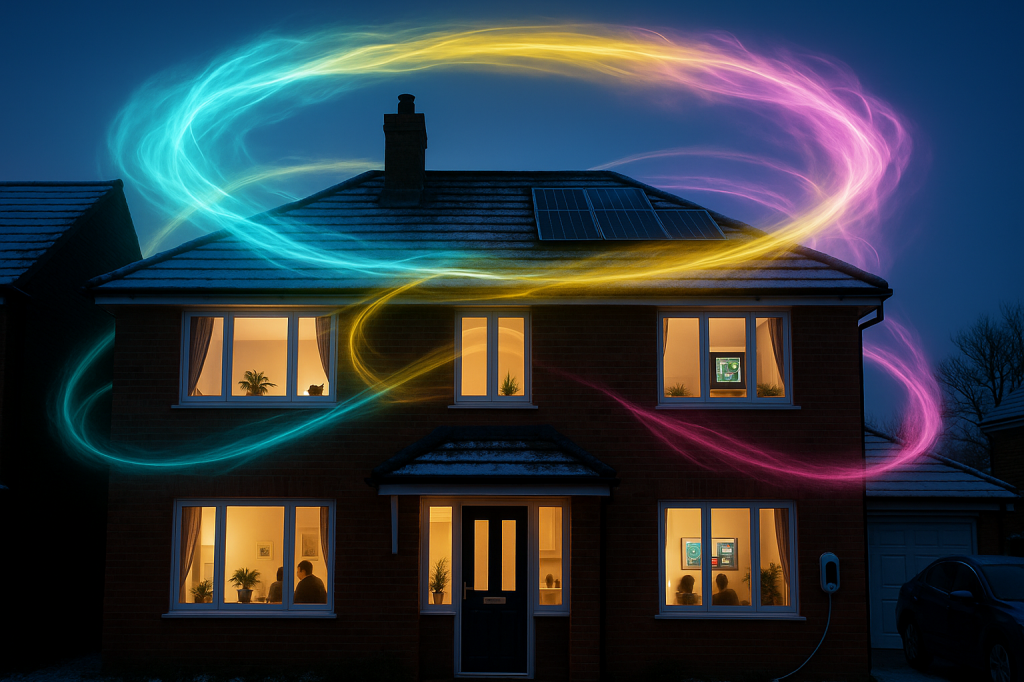
The short version (for you skim-readers out there)
2026 is the year your home quietly runs itself. Heating, lighting, EV charging, shopping lists, water use and work-from-home all sync behind the scenes to save you money and time. The one thing that makes it all work? A rock-solid Full fibre connection with clear pricing and no mid contract price hikes.
Your first move: upgrade your connection and set up a few “set and forget” automations. The savings stack fast.
The connected year ahead
From village cottages and market-town semis to city flats and working farms, the Internet of Things (IoT) has grown up. In 2026, devices stop acting alone and start acting together:
Energy aware homes: Smart thermostats, TRVs and heat pumps warm the rooms you actually use, when energy is cheapest. Solar inverters and batteries shift heavy loads to off-peak windows.
Connected streaming TV: Free, paid and IP-first platforms bring live channels and on demand together. 4K HDR sport and drama stay smooth because upload and latency are stable.
Gaming without the groan: Fast Steam downloads, low jitter console play and rock solid cloud gaming thrive on Full fibre and good in home WiFi.
Set and forget appliances: Washing machines wait for low tariffs; ovens preheat as you head home; dishwashers run at 2am without you lifting a finger.
Sharper security: Cameras detect people/vehicles, not raindrops. Doorbells stream crisply thanks to reliable upload.
Effortless WFH: Crisp video, smooth backups, remote desktops without stutter.
Water wise living: Leak sensors under sinks; irrigation that pauses when rain is due.
All of it depends on stable upload, whole home WiFi and clear, fixed pricing so you can budget with confidence.
The Home Control Panel: take control of home, bills and time
Bring everything together in one simple dashboard (wall mounted tablet or app):
Energy & comfort: Set room targets, boost hot water, view solar/battery state and switch to savings mode in one tap.
Streaming & play: Prioritise bandwidth for a match or a download; pause game updates during meetings.
Security & access: See doors, gates and cams at a glance; share onetime access codes for deliveries.
Water & environment: Leak alerts, air quality nudges and irrigation pauses when rain is due.
Automations & scenes: Morning, Work, Film Night, Away — edit once, apply across rooms.
Own your connection. Own your contract. Own your savings.
Own your connection: Full fibre with strong upload and mesh that reaches every corner.
Own your contract: Fixed price, no mid contract rises — plan your year with confidence.
Own your savings: Time of use schedules, solar shifting and device standby cuts — all tracked in the panel so every win shows up.
Own your privacy: Favour local processing; keep control of your data and what leaves the house.
Price rises: when they land and what to do about them
Many providers add fixed cash increases in spring. Because the increase is a flat amount, cheaper plans rise by a bigger percentage than premium ones — so the impact hits budget bills hardest.
Where you’ll feel it:
Direct debits jump from your April/May bill cycle.
Bundles creep up even if you don’t use all the extras.
Exit fees feel bigger when you’re already stretched — which is why planning your switch matters.
Your options:
Overlap instead of endure. Line up your new Full fibre install to overlap with your current provider so you can test performance before cancelling. This avoids downtime and “bill shock”.
Lock in predictability. Choose plans with no mid contract price rises and clear terms.
Bank the savings. Use your Home Control Panel to shift heavy loads to cheaper windows, kill standby and track wins.
Typical timeline:
Now–March: Prequalify your address; pick your speed; book an install or place a hold for a future date.
April: Price rise hits many households; confirm your cancellation date once your new service is live.
Month 4–6: Review bills and usage; keep the plan that delivers stable speeds and predictable costs.
Choose the right internet for an entertainment first smart home (and your wallet)
What to insist from your home internet supplier in 2026
Full fibre to your property: with strong, symmetrical speeds so 4K streams, multiroom viewing, and cloud backups don’t fight each other.
No mid contract price rises: a fixed monthly price so the cost of living doesn’t blindside you halfway through your term.
Whole home coverage: via a quality router and mesh nodes for stone walls, loft rooms, garden offices and outbuildings.
Low latency and low jitter: for gaming and live sport. Look for providers who take routing and peering seriously.
Helpful, human support: that understands rural realities as well as town and city installs.
Quick setup wins
Put your router high, central and in the open.
Add mesh nodes to dead spots and outbuildings.
Create a guest network for visitors and lower trust gadgets.
Prioritise work devices on weekdays and your console/streaming box on evenings using router QoS.
Why upload matters: Cameras, doorbells, baby monitors and cloud backups are uplink hungry; live TV over IP and cloud gaming also depend on a steady uplink. That’s why Full fibre’s balanced speeds are such a boost. That’s why Full fibre’s balanced speeds are such a boost.
Connected entertainment, explained
Streaming TV in 2026
Everything in one place: New broadband first TV services bring live channels and OnDemand together via an app or set top box — ideal if your area has weaker aerial reception.
Multiroom viewing: Put a small streaming puck or app on each screen and lean on mesh WiFi for upstairs/loft rooms.
4K/HDR sport & drama: Aim for Full fibre and solid in home WiFi to keep big matches, films and UHD nature docs smooth.
Household harmony: Create a "TV" device group in your router; give it high priority during match nights.
Gaming without the wait
Steam & console downloads: Full fibre chews through big patches quickly; schedule overnight if you share bandwidth.
Cloud gaming & remote play: Low latency + low jitter are the secret sauce. Use wired Ethernet to the console/PC where possible; else, a nearby mesh node.
Parental controls: Use device profiles to cap bedtime pings without turning the internet off for everyone.
The complete connected home kit (nothing left behind)
Core network & control
Full fibre ONT + WiFi 6/6E router • Mesh nodes • Ethernet backhaul where possible • Guest SSID • Work SSID • QoS device priority • Smart hub (Home Kit/Google/Alexa) or privacy first controller (Home Assistant)
Energy & comfort
Smart thermostat + TRVs • Heat pump/boiler controls • Smart radiator/underfloor zones • Smart hot water tank • Smart plugs for high draw devices • Smart meter and in home display • Solar PV + battery • EV charger (V2H/V2Gready)
Lighting & shading
LED smart bulbs/switches • Motion/daylight sensors • Circadian schedules • Smart blinds to manage glare & heat
Water & environment
Leak sensors (kitchen, boiler, loft tank) • Smart irrigation with weather skip • Air quality/CO₂ monitor • Smart dehumidifier/ventilation
Security & access
Video doorbell • Smart locks • Indoor/outdoor cameras • Gate/shed sensors • Driveway/yard lighting
Entertainment & work
Streaming pucks/TV apps in each room • Soundbar/AVR on smart plug • Consoles/PCs on Ethernet • NAS or cloud backup workstation • Printer on guest/IoT VLAN
Vehicle & outbuildings
EV charger with tariff/solar integration • Outdoor APs to garages, barns, garden offices • CCTV for yards and stores • LoRa/mesh for long range sensors
Home organisation & compartmentalisation (make zones that save money)
1) Network zones – Primary, Guest/IoT, Work. Keep cameras and bulbs off your Work SSID. Pin your laptop to Priority 1; throttle game updates during meetings.
2) Thermal zones – Give rooms their own targets with TRVs. Heat office to 19°C by day, bedrooms to 17°C at night, spare room off unless occupied.
3) Light & noise zones – Task lighting and sound masking in the office nook; warm ambient scenes in the lounge; stair/hall motion for safety and savings.
4) Power use zones – Smart plugs on AV racks, gaming corners and tumble dryers. Automations kill standby at midnight and wake devices at 6pm for film night.
5) Time of use routines – Overnight: EV, washing, dishwasher, cloud backups. Midday (solar): hot water boost, washing loads, charge the home battery.
What to connect (by home type)
City flats & apartments
Must haves: Streaming puck on main TV, wired Ethernet if possible, a nearby mesh node; smart thermostat (where permitted), 3–4 bulbs, smart lock.
Tips: Wall aware WiFi placement; use compact multifunction devices.
Towns & suburbs (family homes)
Must haves: Whole home heating with TRVs, mesh WiFi for multiroom streaming, doorbell cam, leak sensors, EV charger readiness.
Tips: Route an Ethernet spur to the lounge TV/console for stable UHD + low ping.
Villages & rural (larger plots)
Must haves: Outdoor APs for yard coverage, solar + battery management, gate/shed cams, smart water monitors.
Tips: Long drive? Consider point-to-point links between house and outbuildings; prioritise upload for cameras.
Working farms
Must haves: Barn cameras, livestock temperature/behaviour sensors, trough level monitors, yard lighting automations.
Tips: Separate VLAN/SSID for agri sensors; resilient local storage for cameras.
Listed & heritage homes
Must haves: Non invasive smart switches/bulbs (keep fittings), battery sensors, plugin TRVs; mesh nodes to avoid chasing cables.
Tips: Use adhesive cable guides and window mounted ONT/router positions if drilling is restricted. Prefer reversible installs.
Streets and villages underserved by legacy builds
Focus: Full fibre where available; where not, check for gigabit wireless options and community schemes.
Tips: Mesh to loft rooms; outdoor APs carry reliable WiFi to garden offices.
The money side: quick, real world gains
Streaming that just works: One connection powers UHD sport on the lounge TV, a kids’ stream upstairs and a tablet in the kitchen — no buffering battles.
Gaming & downloads: Faster updates mean more playtime, less waiting. Wire in the main console for the lowest ping.
Heat & hot water: Add a smart thermostat and TRVs; heat only the rooms you’re using. Use weather aware schedules.
Solar & EV: Shift loads to midday solar; charge EVs off-peak or from your panels. Consider V2Hready hardware when you install.
Lighting: Motion + daylight sensors cut wasted hours. Warmer light in the evening helps sleep.
Water: Leak sensors on boilers, sinks and loft tanks; weather aware irrigation.
Indicative annual savings (typical UK homes):
Smart heating & TRVs: £150–£350
Load shifting (EV/hot water/white goods): £100–£300
Lighting automations: £40–£80
Leak prevention & water insight: £50–£120
Streaming/gaming reliability: time saved, fewer premium data addons
Stack these changes and you lower bills, shrink your footprint and add calm to your week.
Work from home that feels effortless
Compartmentalise without a rebuild
A defined desk nook with its own heating/airing (smart TRV or portable smart AC), task lighting and sound masking.
A “Meeting Mode” routine: quiet your smart doorbell, set focus lighting, prioritise your laptop on WiFi, show status on a smart display.
Geofencing dims lights and lowers heat when you step away.
Your 10 step checklist
Check your contract end date and price rise clauses; plan your switch.
Prequalify your postcode for Full fibre.
Map every connected device (TVs, pucks, consoles, cameras, sensors).
Put the router high/central; order mesh if needed (one node per floor is a good start).
Create a guest network for visitors and smart gadgets.
Wire in the main TV/console with Ethernet if you can; otherwise park a mesh node nearby.
Schedule big downloads/patches overnight.
Set EV/hot water/washing automations to cheap windows.
Prioritise work devices 9–5 and your streaming/gaming kit in the evening.
Fit leak sensors where water damage would hurt most.
Futureproof trends to watch in 2026–27
VehicletoHome/Grid (V2H/V2G): Your car as a home battery and grid helper.
Whole home batteries: More capacity at more accessible prices.
Neighbourhood microgrids: Villages sharing locally generated power.
Privacy first smart hubs: More local processing, less cloud dependency.
IP first live TV: Main broadcasters streaming channels over broadband by default, making rooftop aerials optional.
Putting it all together: sample setups
One bed city flat (budget £400–£700): Thermostat, 4 smart bulbs, two smart plugs, smart speaker, a mesh node. Likely annual saving: £150–£250.
Three bed semi (budget £1,200–£2,000): Thermostat + TRVs, 10+ bulbs, doorbell cam, two mesh nodes, leak sensor, guest network. Likely annual saving: £350–£600.
Farmhouse with outbuildings (budget £3,500–£7,000): Zonal heating, yard cameras, outdoor APs, solar + smart battery management, borehole/water monitoring, gate sensor, multiple hubs for redundancy. Likely annual saving: £800–£1,500 (plus resilience).
Savings will vary by tariff, property and habits—but the direction of travel is clear: less waste, lower stress, more control.
Why the choice of provider matters
A modern smart home leans on upload as much as download, mesh coverage, and pricing you can trust. Picking an ISP with no mid contract price hikes, rural knowhow and friendly, UK time support means your connected home won’t trip over the basics — whether you’re in a listed cottage, a newbuild flat, a village the big networks skipped, or a working farm.
Ready to make 2026 cheaper, calmer and more connected?
Check your postcode, pick your speed and join the switch to better broadband.